Braiins Mini Miner BMM-101 vs Avalon Nano 3S – Which Quiet Home BTC Miner Should You Buy?
- December 2, 2025
- foer
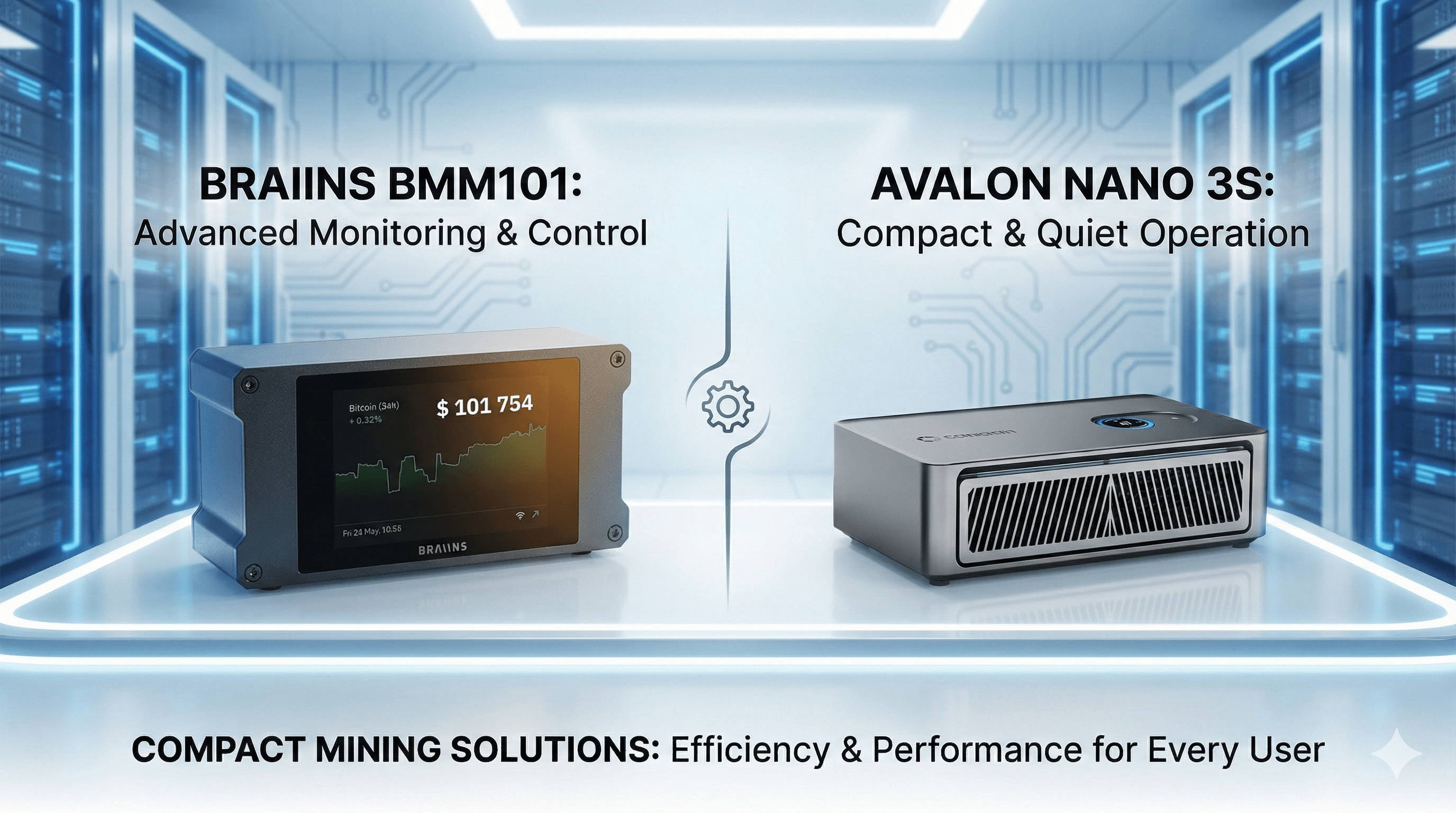
The Braiins Mini Miner BMM-101 and the Avalon Nano 3S sit in the same niche: SHA-256 Bitcoin miners that are small, quiet and safe to run in real apartments.
On paper they look similar, but they solve slightly different problems:
- BMM-101 is a low-power “desk miner” at ~1 TH/s and ~35–40 W.
- Avalon Nano 3S is a “mini-heater miner” at 6 TH/s and ~140 W with Ethernet + Wi-Fi.
This comparison walks through specs, efficiency, noise, heat, power cost, and solo-lottery odds so you can choose the one that actually fits your home and goals.
Quick Spec Comparison Table
(Values are typical “at the wall” numbers taken from vendor specs and real-world testing.)
| Feature | Braiins Mini Miner BMM-101 | Avalon Nano 3S |
|---|---|---|
| Algorithm | SHA-256 (BTC, BCH, etc.) | SHA-256 (BTC, BCH, etc.) |
| Hashrate (typical) | ~1 TH/s | 6 TH/s |
| Power draw (typical) | ~35–40 W | ~140 W (max listed 140 W) |
| Efficiency (math) | ~35–40 J/TH | ~23.3 J/TH |
| Noise (typical) | ~40 dB | ~33–40 dB (up to ~50 dB at higher fan) |
| Networking | Ethernet (RJ45) | Ethernet + Wi-Fi |
| Approx. heat output | ~136 BTU/h (40 W) | ~477 BTU/h (140 W) |
| Size / weight | Compact desktop enclosure | ~205 × 115 × 58 mm, ~0.86 kg |
| Positioning | Low-power desk miner | Quiet “mini-heater” apartment miner |
Key Takeaways
-
- If you want the lowest possible power draw and a neat integration with the Braiins ecosystem, pick the Braiins Mini Miner BMM-101.
-
- If you want more hashrate, more heat, and a “mini-heater” miner with both Wi-Fi and Ethernet, pick the Avalon Nano 3S.
-
- Neither device is a classic “ROI machine” at residential electricity prices; treat both as hobby / learning / solo-lottery or background sats-stackers.
-
- At the same electricity price, the Avalon Nano 3S costs roughly 3.5× more to run than the BMM-101, but delivers ~6× the hashrate.
-
- For very small rooms or tight power budgets, the BMM-101 is easier to live with. For colder rooms where a little extra heat is welcome, the Nano 3S is often the more satisfying choice.
Hashrate, Power Draw and Efficiency
From a pure mining perspective, the Avalon Nano 3S is clearly the heavier hitter:
-
- BMM-101: roughly 1 TH/s at about 35–40 W.
-
- Nano 3S: 6 TH/s at roughly 140 W.
If you look at J/TH (joules per terahash):
-
- BMM-101: ~35–40 J/TH (e.g., 40 W / 1 TH/s).
-
- Nano 3S: ~23.3 J/TH (140 W / 6 TH/s).
That means:
-
- The Avalon Nano 3S is more efficient per hash: it uses less energy to produce each terahash.
-
- But it also draws about 3.5× more total power than the BMM-101.
So the trade-off is:
-
- BMM-101 → lowest possible impact on your power bill and circuits; easy to run in any corner.
-
- Avalon Nano 3S → more hashrate and better energy efficiency per hash, but you must be comfortable with ~140 W running continuously.
For most hobbyists, the key question is:
-
- Do you want something that is “barely noticeable” on your electrical consumption?
-
- BMM-101 wins.
-
- Do you want something that is “barely noticeable” on your electrical consumption?
-
- Or do you want more real hashrate, with a cost and heat output you can actually feel?
-
- Avalon Nano 3S wins.
-
- Or do you want more real hashrate, with a cost and heat output you can actually feel?
Noise, Heat and Apartment Friendliness
Both devices were designed to live in real homes, not warehouses, but they behave differently.
Braiins Mini Miner BMM-101
-
- Noise: typically around ~40 dB in a normal room – similar to a quiet office or a small fan at low speed.
-
- Heat: at ~40 W, it outputs roughly 136 BTU/h – you will feel a warm stream near the exhaust, but it will not function as a heater for a room. (Braiins Mini Miner BMM-101 Review)
Avalon Nano 3S
-
- Noise: listed around 33–40 dB in quiet modes, and can climb toward ~50 dB in higher fan modes. In practice, that means “soft fan noise” that you notice, but that does not dominate a living room if placed a couple of meters away. (Avalon Nano 3S Review))
-
- Heat: at ~140 W, it outputs roughly 477 BTU/h. That’s enough to meaningfully warm up a small office or corner of a bedroom over time, especially in winter.
In short:
-
- If your room is already warm and you are sensitive to any extra heat, the BMM-101 is safer.
-
- If you actually want a mini-space-heater that also mines, the Avalon Nano 3S is built exactly for that use case.
In both cases, placement matters:
-
- Put the device on a solid surface.
-
- Leave clear airflow behind the exhaust.
-
- Avoid tight cabinets and soft surfaces that trap heat and amplify fan noise.
Setup, UX and Ecosystem
Here is where the two devices feel very different.
Braiins Mini Miner BMM-101
-
- Ecosystem: tightly integrated with the Braiins stack (Braiins OS+, Braiins Pool dashboards). If you like having one vendor for miner firmware, statistics, and pool tooling, this is a big plus.
-
- Networking: Ethernet only (RJ45). That keeps stale shares low and makes the device stable over long uptimes, at the cost of needing a cable or Ethernet bridge.
-
- Interface: web UI on the local network plus a small front display (depending on firmware/batch) for quick stats.
-
- Onboarding: plug PSU + Ethernet → find IP on your router → open web UI → add pool URL and BTC address → you are mining.
This is ideal if:
-
- You already use Braiins tools.
-
- You want a “plug-it-in, set a pool, forget it” style desk miner that is hard to misconfigure.
Avalon Nano 3S
-
- Positioning: part of Canaan’s “Avalon Home” line – a device explicitly marketed for home users who want a friendly, heater-like BTC miner. (Avalon Miner – Canaan Official Shop)
-
- Networking: both Ethernet and Wi-Fi are available, which is convenient if your router is not near the final placement spot. (OneMiners – Crypto Mining Hosting)
-
- Interface: web dashboard over the network; vendor tooling and documentation are oriented toward simple BTC mining with limited need for tuning.
-
- Onboarding: plug in the included PSU, connect via Ethernet or join Wi-Fi, log into the web interface, set pool and wallet, and you’re running.
This is ideal if:
-
- You do not care about a specific ecosystem and just want a simple, heater-style miner.
-
- You might move it around the house and sometimes rely on Wi-Fi instead of cable.
Solo Lottery vs Pool Mining with These Miners
Many buyers look at these devices as solo “lottery miners”. The idea: leave them running, and one day you might hit a full BTC block reward. It is important to understand how unlikely that is.
Using the solo odds framework from a dedicated solo-mining guide (assuming ~600 EH/s network hashrate and ~144 BTC blocks per day)
-
- Avalon Nano 3S (6 TH/s) ends up with roughly 0.05% chance to find at least one block in a year of continuous solo mining.
-
- BMM-101 (1 TH/s) is at roughly one-sixth of that chance, on the order of ~0.01% per year under the same assumptions.
The exact percentages move with network hashrate and difficulty, but the message does not:
-
- Both devices are true lottery tickets in solo mode.
-
- Avalon Nano 3S is “less bad” for solo odds because it has six times higher hashrate.
Practical framing:
-
- If you want consistent payouts, you point both miners at a pool and treat them as quiet sats-stackers.
-
- If you like the romance of “maybe one day I hit a block”, you can dedicate some time to solo endpoints – but keep your expectations firmly in hobby / entertainment territory, not as an income plan.
Power Cost Examples: How Much Do They Cost to Run?
Using the power draw numbers from the individual reviews, here is a simple picture of daily and monthly power cost at different electricity prices.
Assumptions:
-
- BMM-101: 40 W 24/7.
-
- Avalon Nano 3S: 140 W 24/7.
Electricity cost table (24/7 operation)
| Tariff (€/kWh) | Device | kWh / day | Cost / day | Approx. cost / month (30 days) |
|---|---|---|---|---|
| 0.10 | BMM-101 | 0.96 | €0.10 | ~€3.0 |
| 0.10 | Avalon Nano 3S | 3.36 | €0.34 | ~€10.1 |
| 0.20 | BMM-101 | 0.96 | €0.19 | ~€5.8 |
| 0.20 | Avalon Nano 3S | 3.36 | €0.67 | ~€20.4 |
| 0.30 | BMM-101 | 0.96 | €0.29 | ~€8.7 |
| 0.30 | Avalon Nano 3S | 3.36 | €1.01 | ~€30.2 |
A few observations:
-
- The Avalon Nano 3S costs roughly 3.5× as much to run but delivers 6× the hashrate.
-
- If you are extremely power-price sensitive, the BMM-101 is easier to justify as a “background expense”.
-
- If you are already paying for electric heating in winter, the Nano 3S can replace a small part of that heater load while also mining.
Use Cases and Buyer Profiles
When the Braiins Mini Miner BMM-101 Makes More Sense
Choose the BMM-101 if:
-
- You want the smallest possible power footprint while still mining real Bitcoin.
-
- You prefer Ethernet-first reliability and already like (or want to learn) the Braiins toolchain.
-
- You plan to run multiple different mini miners in one home and want at least one that barely moves the power needle.
-
- Your living situation has strict limits on heat or power draw (e.g., summer in a small apartment, shared electricity bills, or fragile circuits).
-
- Your primary goal is learning, monitoring, and improving your stack with very low operating cost.
Typical scenarios:
-
- A miner on your desk next to your router, running 24/7 as a “live BTC node of hash”.
-
- A companion device to more powerful miners, serving as a low-risk testbed for new pools or config changes.
When the Avalon Nano 3S Is the Better Choice
Choose the Avalon Nano 3S if:
-
- You want more noticeable hashrate while staying firmly in “apartment-friendly” territory.
-
- You appreciate a device that doubles as a mini-space-heater in cooler months (140 W of continuous warm air).
-
- You need flexible placement (Ethernet + Wi-Fi) and might move it between rooms.
-
- You prefer a single device that feels “worth it” in terms of both heat and sats, compared to several tiny miners.
Typical scenarios:
-
- A small office where you were going to run a 150 W electric heater anyway – the Nano 3S simply replaces that with a miner.
-
- A living room corner where a soft fan tone is acceptable, and the stream of warm air is actually welcome.
Running Both Together
For some home-mining enthusiasts, the realistic answer is “both”:
-
- The Avalon Nano 3S acts as the main winter heater-miner in the living room or office.
-
- The BMM-101 sits closer to the router as a low-power, always-on test and monitoring device in the Braiins ecosystem.
This combination gives you:
-
- Diversity of vendors (Canaan + Braiins).
-
- Diversity of power levels and heat outputs.
-
- More flexibility when electricity prices change through the year.
Decision Cheat-Sheet
If you want the quickest possible decision, use this simple matrix:
-
- Pick Braiins Mini Miner BMM-101 if most of these are true:
-
- You care more about low power and low cost than about hashrate.
-
- You are curious about Braiins OS+/pool tooling and want a tight integration.
-
- Your room is already warm; you do not want an extra 140 W heater running all day.
-
- You like the idea of multiple tiny miners rather than one bigger “mini-heater”.
-
- Pick Braiins Mini Miner BMM-101 if most of these are true:
-
- Pick Avalon Nano 3S if most of these are true:
-
- You want measurably more hashrate while staying quiet and compact.
-
- You like the concept of “space-heater mining” at a modest power level.
-
- You want both Ethernet and Wi-Fi available out of the box.
-
- You accept a moderate increase in your monthly electricity bill in exchange for more sats and more warmth.
-
- Pick Avalon Nano 3S if most of these are true:
Verdict: Braiins Mini Miner BMM-101 vs Avalon Nano 3S
-
- Choose the Braiins Mini Miner BMM-101 if you want a minimal-impact desk miner: extremely low power, clean Ethernet networking, and tight Braiins ecosystem integration. It is ideal as an always-on, low-risk way to learn mining, watch stats, and gently stack sats.
-
- Choose the Avalon Nano 3S if you want a quiet mini-heater that also mines: more hashrate, better efficiency per hash, and a stream of warm air that actually changes how a small room feels, while still being apartment-friendly in noise and size.
If budget allows, many home miners eventually like having both: a tiny Braiins-powered desk miner plus an Avalon Nano 3S as a winter heater-miner. But if you must pick one today, anchor the decision on your power budget, heat tolerance, and ecosystem preference—that will naturally point you toward the right side of this comparison.
FAQ's
Is the Avalon Nano 3S more profitable than the BMM-101?
In pure hashrate terms, yes: 6 TH/s will always generate more BTC than 1 TH/s at the same pool and difficulty. But both are so small compared with the global network that you should treat them as hobby devices, not profit engines. The difference is that the Nano 3S costs more to run and gives more sats back; the BMM-101 is cheaper to run and yields fewer sats.
Which one is quieter?
On paper, the Avalon Nano 3S can be a bit quieter in its softer modes (around 33–40 dB) than the BMM-101 (around 40 dB), but the difference is small and heavily dependent on room acoustics and placement. In practice, both are “quiet PC fan” level, not warehouse-style screamers.
Which is better for solo mining?
The Avalon Nano 3S has roughly six times the hashrate, so its solo odds are better – but they are still extremely low on large networks like Bitcoin (around 0.05% yearly under typical assumptions). The BMM-101 is roughly one-sixth of that chance. For both, solo is best framed as a lottery experiment rather than a plan.
Can I run either device 24/7 in an apartment?
Yes, assuming your electrical installation is normal and you give the units enough airflow. Both devices sit far below typical desktop PC power draw. The practical constraint is heat and noise tolerance, not electrical safety, assuming good power strips and outlets.
Does the BMM-101 or Nano 3S include a PSU?
Bundles vary by seller. Some BMM-101 kits ship without a PSU, requiring you to provide a compatible DC adapter. The Avalon Nano 3S is often sold with an appropriate AC cord and internal PSU for 110–240 V AC, but exact inclusion depends on region and retailer. Always confirm the PSU situation in the product listing you plan to buy.